 Kid Space
Kid mode for your Android phone
Kid Space is a parental control app that gives your child their own safe home screen on your phone, with only the apps you choose and a screen time limit.
No ads. No account. No internet permission. Open source.
What is Kid Space?
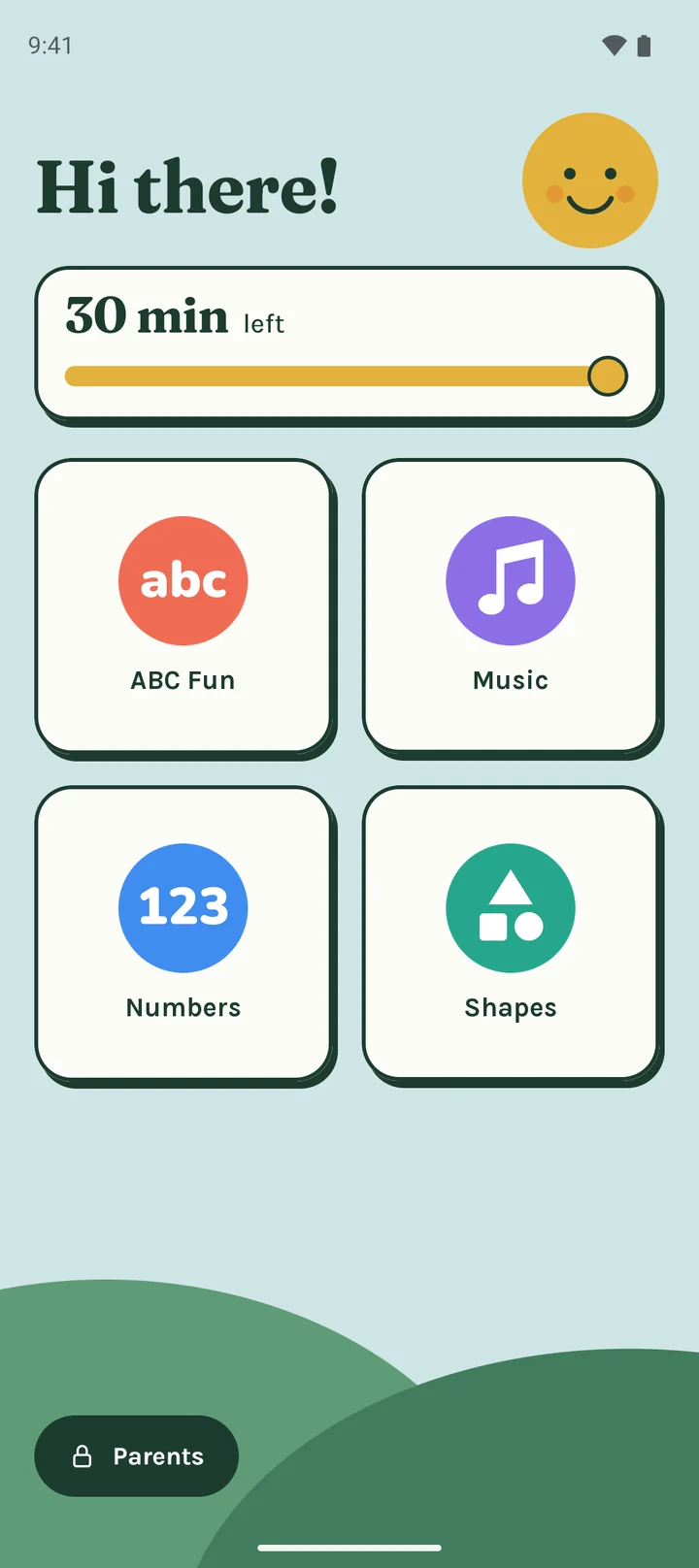
Kid Space is a kid mode app for Android phones. Before you hand your phone to a child, you pick the apps they can use and how long they can play. Kid Space then replaces your home screen with a simple kids launcher and keeps your child inside those apps until you enter your parent PIN.
It works on the phone you already have. You do not need a second device, a child account or an internet connection.
- App lock for kids. Your child can open the apps you ticked and no others.
- Screen time limit. Set 15, 30 or 45 minutes, your own number, or no limit. A timer on the kid screen shows how long is left.
- Parent PIN. Leaving Kid mode or adding time needs your four-digit PIN.
- Kids home screen. Big, simple tiles a young child can use without reading.
- Quiet notifications. Your messages and alerts can stay hidden while your child plays. Calls still ring.
Set up kid mode in about a minute
Four screens, then you hand over the phone.
-
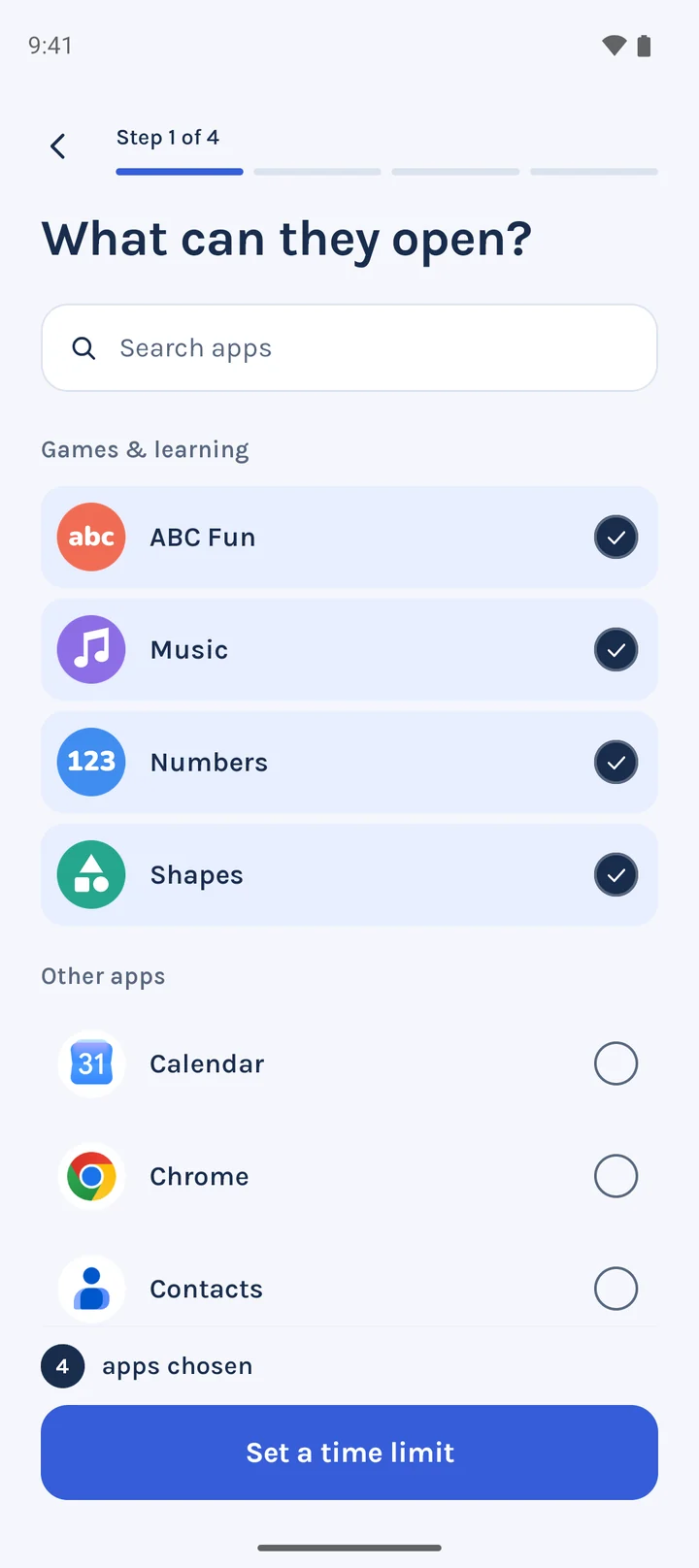
Choose the apps
Tick what they can open. Everything else stays out of reach.
-
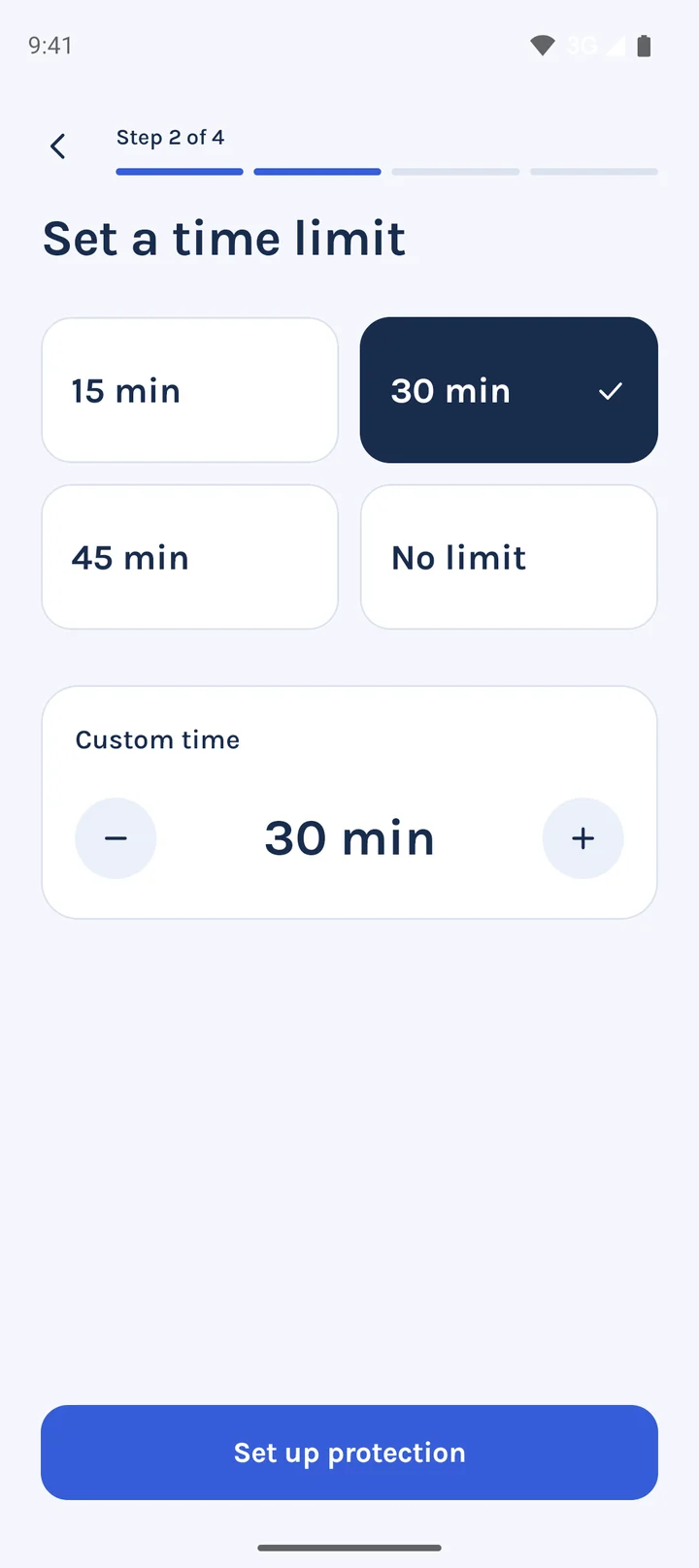
Set a time limit
15, 30 or 45 minutes, your own number, or no limit.
-
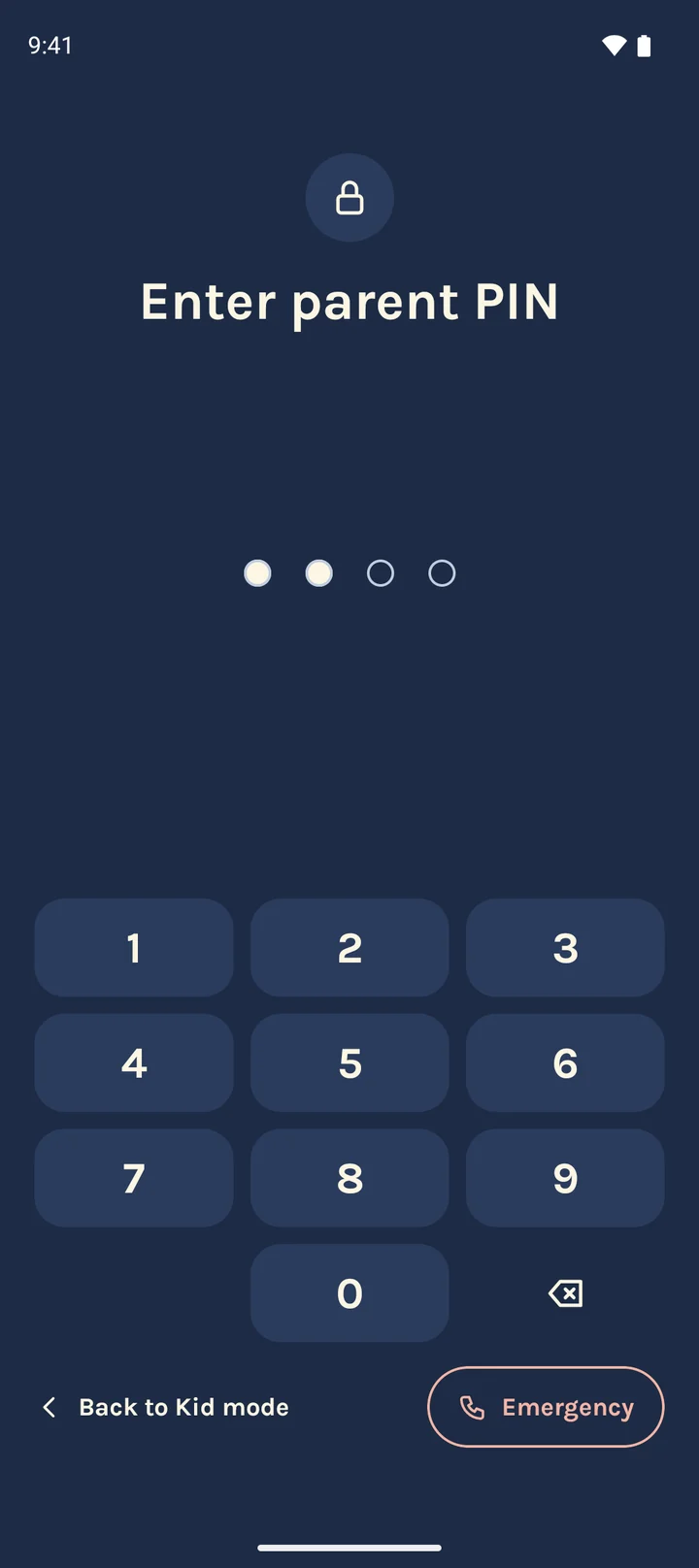
Create a parent PIN
Four digits. Only the PIN leaves Kid mode or adds time.
-
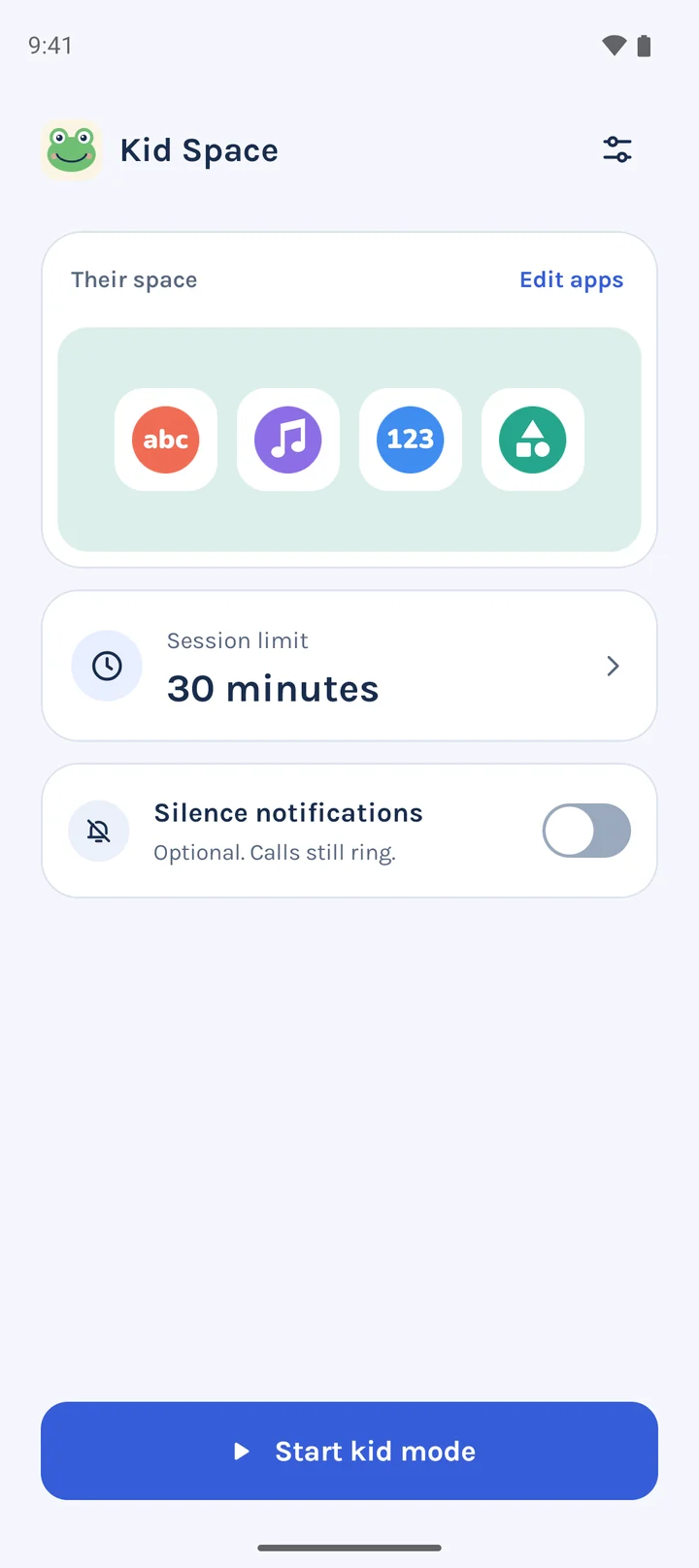
Start Kid mode
One tap. You can also silence notifications while they play. Calls still ring.
Your phone stays yours
Kid Space is the home screen only while Kid mode is on. Enter your PIN and your own home screen comes back as you left it, with the same wallpaper, icons and widgets.
When time runs out, the screen says “Time's up! Ask a grown-up.” From there you can give 15 more minutes or leave Kid mode.
A parental control app that collects no data
Kid Space has no internet permission. Android will not let it open a connection, so nothing leaves your phone.
What it does in Kid mode
- Sees which app is open
- Sends your child back home from apps you didn't choose
- Closes the notification panel
What it never does
- Reads your screen, messages or passwords
- Sends anything to any server
- Connects to the internet
- Runs when Kid mode is off
No ads
Nothing for a child to tap by mistake.
No account
No email, no sign-up, no password.
No tracking
No analytics. No data collected.
Open source parental control
A parental control app asks for a lot of trust. You don't have to take our word for any claim on this page. The whole app is on GitHub, where anyone can read it, build it and check what it does.
Questions parents ask about Kid Space
Is Kid Space a kids launcher?
Yes, during Kid mode. Kid Space becomes the home screen and shows only the apps you chose. Outside Kid mode it is an ordinary app and your usual launcher stays in charge.
How is Kid Space different from Android app pinning?
App pinning locks the phone to one app. Kid Space lets your child move between several apps you approved, adds a screen time limit, and asks for a parent PIN to leave.
Do I have to replace my home screen?
No. Kid Space is the home screen only while Kid mode is on. Android asks you to pick Kid Space as the home app when you start. When you leave Kid mode with your PIN, your own home screen comes back as it was.
Why does it ask for Accessibility?
Android only lets an app see which app is open through Accessibility. Kid Space uses it for one job: sending your child back to their home screen when they open an app you didn't choose. It never reads your screen, messages or passwords, and it stays inactive when Kid mode is off.
Does it collect any data?
No. The app has no internet permission, so it cannot send anything anywhere. Your settings stay on your phone. The privacy policy lists what is stored.
What happens after wrong PIN tries?
The first four wrong tries are free. The fifth locks the PIN pad for 30 seconds, and each wrong try after that doubles the wait, up to 15 minutes.
Can I still make an emergency call?
Yes. The PIN screen has an Emergency link that opens the phone dialer.
Which phones does it work on?
Android 8.0 and newer. The app is translated into 13 languages, including Spanish, Hindi, Arabic, Japanese and Portuguese.